
How Remote Desktop Technology Works
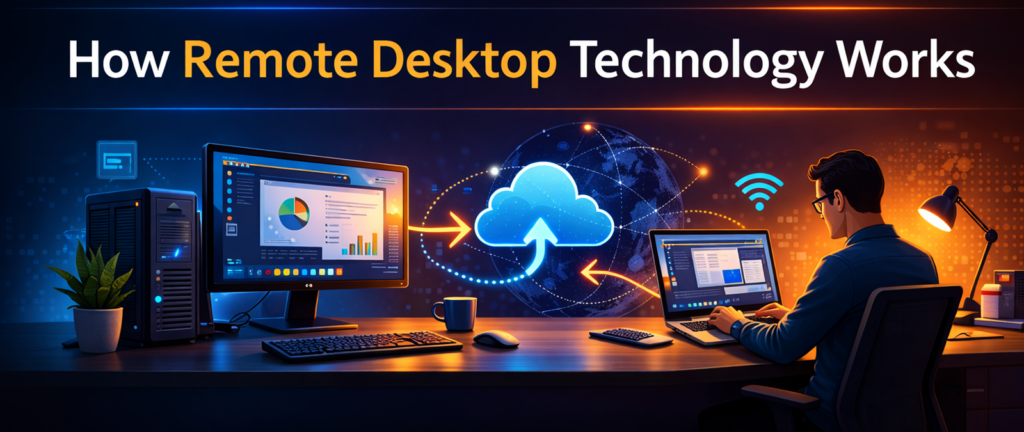

Remote desktop technology has become an essential part of modern work environments. Businesses rely on it to support remote employees, IT professionals use it to troubleshoot systems from a distance, and travelers depend on it to access their office computers while on the road.
But many people who use remote desktop tools every day still ask an important question: How does remote access technology work?
Understanding the basic technology behind remote access can help users choose the right tools and use them more effectively. In this article, we’ll explain how remote desktop software functions, what happens during a remote connection, and why the technology has become so important for businesses.
What Is Remote Desktop Technology?
Remote desktop technology allows one computer to view and control another computer over a network connection, usually the internet.
When you connect to a remote computer, your device displays the desktop of the remote machine. You can then interact with that system using your keyboard and mouse just as if you were physically sitting in front of it.
This makes it possible to:
• open applications installed on the remote computer
• access files stored on that machine
• run specialized software from another location
• troubleshoot systems remotely
The experience is designed to feel as natural as possible, even though the computer you are controlling may be hundreds or thousands of miles away.
The Two Computers Involved in a Remote Session
Every remote desktop session involves two main systems.
The Host Computer
The host computer is the machine being accessed remotely. This is typically the office computer or server where the software, files, and applications are located. The host computer runs a background service that allows it to accept remote connections.
The Client Device
The client device is the computer, tablet, or smartphone used to connect to the host. When the user launches a remote desktop application and signs in, the client device sends a request to connect to the host computer. Once the connection is established, the remote desktop session begins.
What Happens During a Remote Desktop Connection
When a remote connection starts, several processes occur almost instantly.
First, the host computer captures its screen and converts the visual information into compressed data that can be transmitted over the internet. Next, this data is sent securely to the client device.
The remote desktop application on the client then reconstructs the screen image so that it appears on the user’s display. At the same time, the user’s keyboard and mouse input are transmitted back to the host computer.
These commands tell the remote system what actions to perform. This continuous exchange of screen data and input commands allows the remote user to interact with the computer in real time.
Several remote desktop platforms are commonly used by IT professionals to support clients remotely.
One widely used option is Splashtop, which allows technicians to connect to computers securely and perform administrative tasks from another location. Many consultants appreciate its balance of performance, security, and affordability.

Splashtop has become one of the most widely used remote access tools among small businesses and IT consultants.
Why Remote Desktop Feels Almost Instant
Modern remote desktop software is designed to minimize delays between user actions and screen updates. To accomplish this, remote desktop platforms use several technologies.
Screen Compression. Instead of sending a full image of the screen repeatedly, remote desktop software compresses the visual data and only transmits the portions that have changed. This greatly reduces the amount of data being transmitted and improves responsiveness.
Efficient Video Streaming. Some remote desktop platforms use specialized video codecs that allow them to stream screen updates efficiently. For example, platforms like Splashtop are known for delivering high-performance remote sessions that feel smooth even when running graphics-intensive applications.
Adaptive Performance. Many remote desktop tools automatically adjust their performance settings based on the speed of the internet connection. If the connection is slower, the software may reduce image quality slightly to maintain responsiveness. If bandwidth improves, visual quality can increase. This adaptability helps maintain a usable experience across different network conditions.
Security in Remote Desktop Connections
Because remote desktop sessions involve transmitting information over the internet, security is an important part of the technology. Most professional remote access platforms encrypt their connections so that transmitted data cannot be intercepted or read by unauthorized parties. Platforms such as TeamViewer and AnyDesk include similar encryption protections. Users typically authenticate with a password or other credentials before establishing a connection, ensuring that only authorized individuals can access the remote system.
Common Uses for Remote Desktop Software
Remote desktop technology is used in many different environments.
Remote Work
Employees working from home often connect to their office computers remotely so they can access software and files installed on workplace systems.
IT Support
IT professionals frequently use remote desktop tools to troubleshoot computers without needing to visit the user’s location. This allows technicians to diagnose problems quickly and guide users through solutions in real time.
Server Administration
System administrators often manage servers remotely using remote desktop tools. This allows them to monitor systems, install updates, and configure settings without physically accessing the server hardware.
Business Travel
Professionals who travel frequently may rely on remote access software to connect to their office machines while on the road. This allows them to retrieve files or run specialized software that may not be installed on their laptop.
Why Remote Desktop Has Become So Important
The growth of remote work and distributed teams has made remote desktop technology more valuable than ever. Businesses no longer require every employee to be physically present in the office to access important systems. With secure remote access tools, employees can continue working productively from home or while traveling.
Remote desktop software also allows IT teams to manage systems across multiple locations efficiently, reducing the need for time-consuming on-site visits. These advantages have made remote access tools a standard part of modern business operations.
Final Thoughts
Remote desktop technology may seem complex, but the basic concept is straightforward. One computer transmits its screen to another device, while receiving keyboard and mouse input in return.
This exchange of data allows users to control a remote computer from virtually anywhere. Modern remote desktop platforms combine this technology with strong security and efficient performance to create a seamless experience for businesses, IT professionals, and remote workers.
As remote work continues to grow, understanding how these tools function can help organizations choose the right solutions and use them more effectively.
Ready to transform your ability to do business while on the go or working from home?
Click here!
View Current PricesSpecial Note
This article is part of a larger topic you may wish to explore in our Complete Guide to Remote Desktop Software for Small Business.