

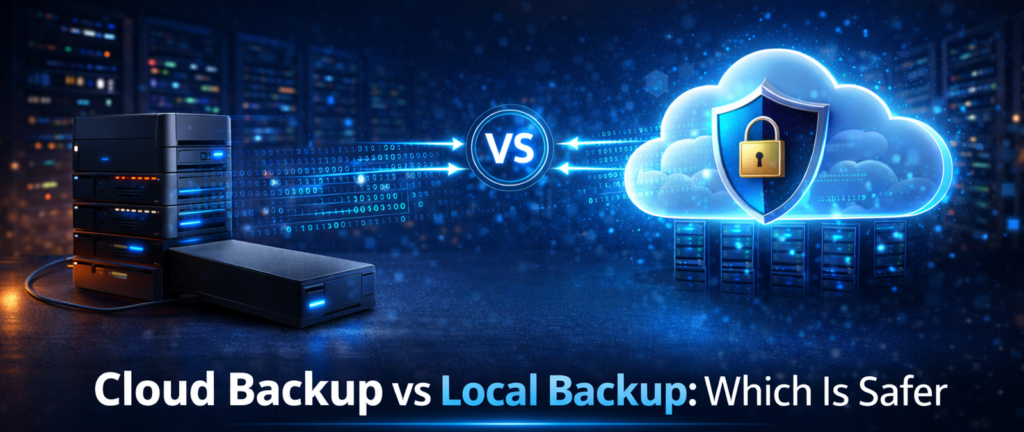
Cloud Backup vs Local Backup: Which Is Safer?

The Backup Question Everyone Eventually Asks
After more than 25 years working in IT, I have seen countless situations where people believed their data was safe simply because they had copied files to an external drive.
Unfortunately, when a serious problem occurs, many people discover that their backup strategy was not as secure as they thought. Hard drives fail. Offices experience theft. Homes suffer from fire or flooding. Ransomware can encrypt both a computer and the external drive connected to it. These situations raise an important question that many people ask when setting up data protection.
Is cloud backup safer than local backup?
The answer depends on how each method is used, but understanding their differences can help you create a stronger backup strategy.
What Is Local Backup?
Local backup refers to storing copies of files on physical devices located near the original computer. Common examples include external hard drives, USB storage devices, and network attached storage systems located in the same home or office.
Local backups can be fast and convenient because they do not rely on internet connections to transfer data. Many people use them to quickly restore files after accidental deletion or hardware failure.
However, local backups also share one important weakness. They are physically located near the system they are protecting. If something happens to the location itself, both the computer and the backup device may be affected.
What Is Cloud Backup?
Cloud backup stores copies of files on secure servers located in professional data centers. Instead of storing backups in the same building as the computer, cloud services transmit encrypted data through the internet to remote storage facilities.
These facilities are designed with redundant power systems, climate control, and security protections that protect stored data from physical damage. Because the backup exists in a separate location, cloud storage can protect files even if the original device is lost or destroyed.

Cloud backup protects your files by storing secure copies in remote data centers so they can be restored if something goes wrong with your computer.
Sign up to protect your valuable data.
View Current PricesAdvantages of Local Backup
Local backups still offer several important benefits.
Faster Recovery
When data is stored on a nearby device, restoring files can be extremely fast. Large files can often be copied back to a system within minutes.
No Internet Required
Local backups do not depend on internet speeds or connectivity. This can be useful when backing up large amounts of data or working in environments with slower internet connections.
Complete Control
Because the storage device is physically owned by the user or business, some people prefer the sense of control that comes with managing their own backup hardware.
Advantages of Cloud Backup
Cloud backup also provides several major benefits.
Offsite Protection
One of the biggest advantages is geographic separation. If a fire, theft, or natural disaster damages the original computer, the backup stored in the cloud remains safe.
Automatic Protection
Many cloud backup services run automatically in the background and continuously protect files without requiring manual intervention.
Version History
Cloud backup services often store multiple versions of files. This allows users to restore earlier versions if files become corrupted or are modified by ransomware.
Access From Anywhere
Because data is stored remotely, files can often be accessed and restored from almost any internet connected device.
The Best Strategy Often Combines Both
In professional IT environments, the safest backup strategy often combines both cloud and local backups. This approach is sometimes called the 3 2 1 backup rule. It involves maintaining multiple copies of data stored on different types of media, with at least one copy stored offsite.
A local backup allows for fast recovery when files are accidentally deleted or a hard drive fails.
A cloud backup ensures that data remains protected even if the entire physical location is compromised.
Together, these methods create a much stronger protection system.
The MyFriend Perspective

At MyFriend, we focus on practical solutions that reduce risk. Local backups can be extremely useful, but relying on them alone leaves a gap in protection. Cloud backups provide the offsite protection needed to safeguard files from events that affect an entire location. For many individuals and businesses, combining both methods offers the most reliable protection.
Final Thoughts

Data loss can happen in many ways, and the consequences can be severe if important files are not protected. Local backups offer speed and convenience, while cloud backups provide offsite protection and automatic security.
Using both together can create a stronger and more reliable data protection strategy. No matter which method you choose, the most important step is making sure your data is backed up before something goes wrong.
That is advice from MyFriend on the web.
Cloud backup protects your files by storing secure copies in remote data centers so they can be restored if something goes wrong with your computer.
Sign up to protect your valuable data.
View Current PricesSpecial Note
This article is part of a larger topic you may wish to explore in our Complete Guide to Cloud Backup Software for Small Business.