

iDrive vs Backblaze: Comparing Two Powerful Cloud Backup Services

Two Popular Backup Services With Different Strengths
After more than 25 years working in IT environments, I have learned that data loss rarely happens when people expect it. A laptop fails. A ransomware attack spreads through a system. Someone accidentally deletes a critical folder. In many cases, people only begin thinking about backups after the damage has already been done.
Cloud backup services exist to prevent that situation. By automatically storing copies of important files offsite, they allow users to recover data even if their primary system fails.
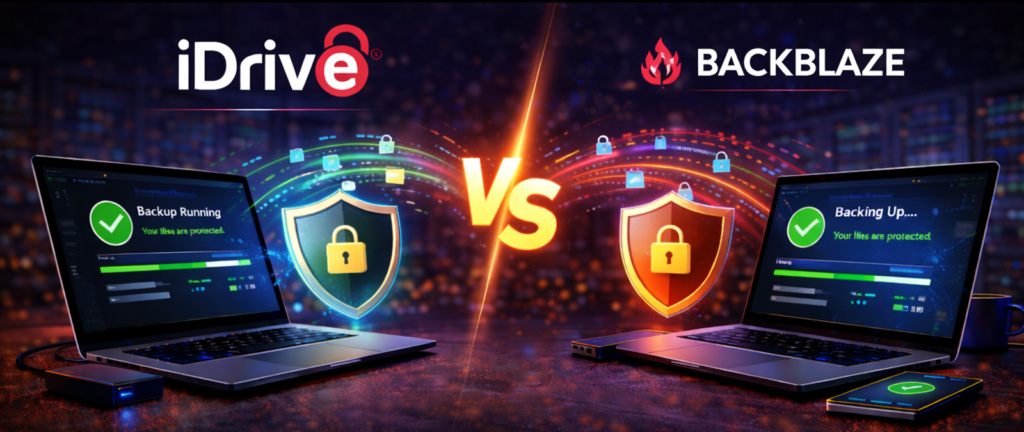
Two services that frequently come up when discussing cloud backup are iDrive and Backblaze.
Both are respected platforms, but they take different approaches to protecting data. Understanding those differences can help determine which solution is the better fit.
Overview of iDrive

Lyrics
iDrive is known for offering one of the most flexible backup systems available. The platform allows users to protect multiple devices under a single account, including computers, external drives, and mobile devices.
This flexibility makes it particularly appealing for families, professionals, and small businesses that operate several devices at once. iDrive also includes features such as file versioning, scheduled backups, and external drive protection.
Overview of Backblaze

Backblaze focuses on simplicity. Its primary goal is to protect an entire computer with minimal configuration. Once installed, Backblaze automatically scans the system and begins backing up files in the background. The service is known for its straightforward setup and unlimited backup model for a single computer. Because of its simplicity and predictable pricing, Backblaze has become popular among home users, freelancers, and creative professionals.
Key Differences Between iDrive and Backblaze
Device Coverage
One of the biggest differences between these two services is how they handle devices. iDrive allows multiple devices to be protected under one account. This can include several computers, external drives, and even mobile devices. Backblaze focuses on backing up one computer per subscription. For users managing multiple systems, iDrive’s approach can be more convenient.
Storage Model
iDrive plans typically include a set amount of storage that can be shared across devices.
Backblaze uses an unlimited storage model for individual computers. If a user has a single computer with very large amounts of data, Backblaze’s unlimited storage can be appealing. If someone has multiple devices, iDrive may offer more flexibility.
Backup Flexibility
iDrive provides several advanced backup features including external drive support, device management tools, and extended file version history. Backblaze prioritizes simplicity and focuses primarily on protecting files stored on a single system. Both approaches can be effective depending on how the system is used.
Ease of Setup
Backblaze is often considered one of the easiest backup services to install. The setup process is extremely straightforward and requires minimal configuration. iDrive provides more options and customization, which can be beneficial for advanced users but may require slightly more setup.
Security and Encryption
Both services provide strong encryption for data during transfer and storage. Each platform also offers private encryption key options for users who want additional security control. From a security standpoint, both platforms perform well.
Real World Considerations
In real environments, the choice between iDrive and Backblaze often comes down to how many devices need protection.
Backblaze works extremely well for individuals who want simple, automatic protection for a single computer.
iDrive can be more practical for households or businesses that operate multiple systems and want to manage them under one backup account.
Both services provide reliable recovery options and strong security protections.
The MyFriend Perspective

At MyFriend, we focus on practical technology that works in real situations.
Backblaze stands out for its simplicity and unlimited backup model for individual computers. iDrive stands out for its flexibility and ability to protect multiple devices from a single account.
Both services offer dependable protection. The right choice depends on the environment and the number of devices being backed up.
Final Thoughts

The most important thing about backup is not which brand you choose. It is making sure your data is protected before something goes wrong.
iDrive and Backblaze both provide reliable cloud backup systems designed to protect files from hardware failure, ransomware, and accidental deletion. Understanding how each platform handles storage and device coverage will help you choose the service that best fits your needs.
That is advice from MyFriend on the web.
Special Note
This article is part of a larger topic you may wish to explore in our Complete Guide to Cloud Backup Software for Small Business.