

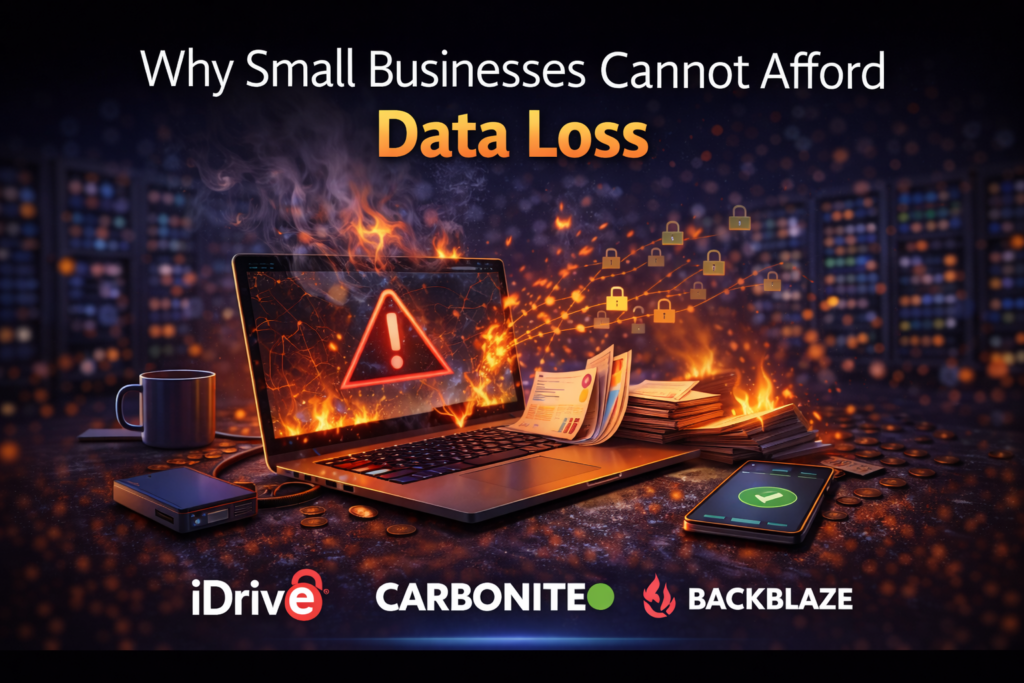
Why Small Businesses Cannot Afford Data Loss

Not Worth The Risk
After more than 25 years working in IT, I have seen firsthand how devastating data loss can be for small businesses. Unlike large corporations that may have entire IT departments and disaster recovery teams, small businesses often rely on a handful of computers to run their entire operation.
Customer records, financial documents, design files, and internal communications are frequently stored on those systems. When something goes wrong, whether it is a hardware failure, cyber attack, or accidental deletion, the impact can bring daily operations to a halt.
That is why having a reliable backup strategy is one of the most important technology decisions a small business can make.
The 3 2 1 Backup Rule
One of the most widely recommended strategies for protecting business data is known as the 3 2 1 backup rule. This approach helps ensure that multiple copies of important information exist in different locations.
The rule works like this.
3 – Maintain at least three copies of your data.
2 – Store those copies on at least two different types of storage.
1 – Keep at least one backup stored offsite.
Following this approach greatly reduces the risk of losing data due to hardware failure, natural disasters, or cyber attacks.
Lyrics
iDrive A-B-C-D-E-F-G-H-I-Drive Lyrics
Hard drives crash and laptops fall
One wrong click and you lose it all
Photos gone and the folders fried
That’s the day you wish you tried
Files disappearing, panic inside
Then you remember you got iDrive
A, B, C, D, E, F, G, H
I DRIVE!
A, B, C, D, E, F, G, H
I DRIVE!
It saved my files, it saved my drive
I DRIVE!
It saved my work
It saved MY LIFE!
Laptop, phone, and a desktop too
One account backing all of you
External drives and business files
Running safe in the cloud a while
Backups rolling in the night
Encryption locked up tight
A, B, C, D, E, F, G, H
I DRIVE!
A, B, C, D, E, F, G, H
I DRIVE!
Photos safe and systems revived
I DRIVE!
When data dies
It saved MY LIFE!
Ransomware tries, files get fried
Version history saves the ride
Roll it back, restore the drive
Everything coming back alive
A, B, C, D, E, F, G, H
I DRIVE!
A, B, C, D, E, F, G, H
I DRIVE!
Backup running day and night
I DRIVE!
Peace of mind
It saved MY LIFE!
That’s the word from MyFriend online
Keep your data safe with iDrive
Combine Local and Cloud Backup
Many businesses benefit from combining local backups with cloud backups. Local backups are typically stored on devices such as network attached storage systems or external drives within the office. These backups allow files to be restored quickly if a computer fails.
Cloud backups store copies of files in secure remote data centers. This ensures that data remains safe even if something happens to the physical office location. Using both methods together provides both speed and security.
Automate the Backup Process
One of the biggest mistakes businesses make is relying on manual backups. When backups depend on someone remembering to copy files at the end of the day, they often get skipped. Over time, this creates gaps in protection.
Automatic backup systems eliminate this problem by continuously protecting files without requiring manual effort. Once installed, the software monitors files and uploads new data as it is created. Automation ensures that backups remain current even during busy periods.
Protect Critical Systems
Not all data is equal in importance. Some systems contain information that is absolutely essential for business operations. Customer databases, accounting records, project files, and operational software often fall into this category.
Businesses should prioritize protecting these systems with reliable backup solutions that allow fast recovery if something goes wrong. In some cases, full system image backups can help restore entire computers quickly without rebuilding everything from scratch.
Regularly Test Backup Recovery
One step many businesses overlook is testing their backups. A backup system is only useful if files can actually be restored when needed.
Periodically restoring test files confirms that the backup system is functioning properly. This also allows staff to become familiar with the recovery process before an emergency occurs. Testing backups helps ensure that recovery will work smoothly when it truly matters.
Plan for Security Threats
Cybersecurity threats continue to evolve, and ransomware attacks are one of the most serious risks facing businesses today. Ransomware attempts to encrypt files and demand payment for their release.
Secure backup systems provide a critical defense against this type of attack. If clean backup copies exist, systems can often be restored without paying criminals. Many modern backup platforms also include features that detect suspicious activity and help prevent attacks from spreading.
The MyFriend Perspective

At MyFriend, we believe technology should help businesses operate with confidence rather than uncertainty. Reliable backups are one of the most practical ways to protect a business from unexpected disruptions.
With the right strategy in place, even major incidents such as hardware failure or cyber attacks can be resolved quickly. For small businesses, that peace of mind can make a significant difference.
Final Thoughts

Small businesses depend heavily on digital information to operate effectively. Losing access to important data can disrupt operations, damage customer relationships, and create significant financial challenges.
Implementing a strong backup strategy helps ensure that critical information remains protected and recoverable. By combining local backups, cloud backups, automation, and regular testing, businesses can dramatically reduce the risk of permanent data loss.
That is advice from MyFriend on the web.
Lyrics
iDrive A-B-C-D-E-F-G-H-I-Drive Lyrics
Hard drives crash and laptops fall
One wrong click and you lose it all
Photos gone and the folders fried
That’s the day you wish you tried
Files disappearing, panic inside
Then you remember you got iDrive
A, B, C, D, E, F, G, H
I DRIVE!
A, B, C, D, E, F, G, H
I DRIVE!
It saved my files, it saved my drive
I DRIVE!
It saved my work
It saved MY LIFE!
Laptop, phone, and a desktop too
One account backing all of you
External drives and business files
Running safe in the cloud a while
Backups rolling in the night
Encryption locked up tight
A, B, C, D, E, F, G, H
I DRIVE!
A, B, C, D, E, F, G, H
I DRIVE!
Photos safe and systems revived
I DRIVE!
When data dies
It saved MY LIFE!
Ransomware tries, files get fried
Version history saves the ride
Roll it back, restore the drive
Everything coming back alive
A, B, C, D, E, F, G, H
I DRIVE!
A, B, C, D, E, F, G, H
I DRIVE!
Backup running day and night
I DRIVE!
Peace of mind
It saved MY LIFE!
That’s the word from MyFriend online
Keep your data safe with iDrive
Special Note
This article is part of a larger topic you may wish to explore in our Complete Guide to Cloud Backup Software for Small Business.