

Best Remote Desktop Software for IT Support
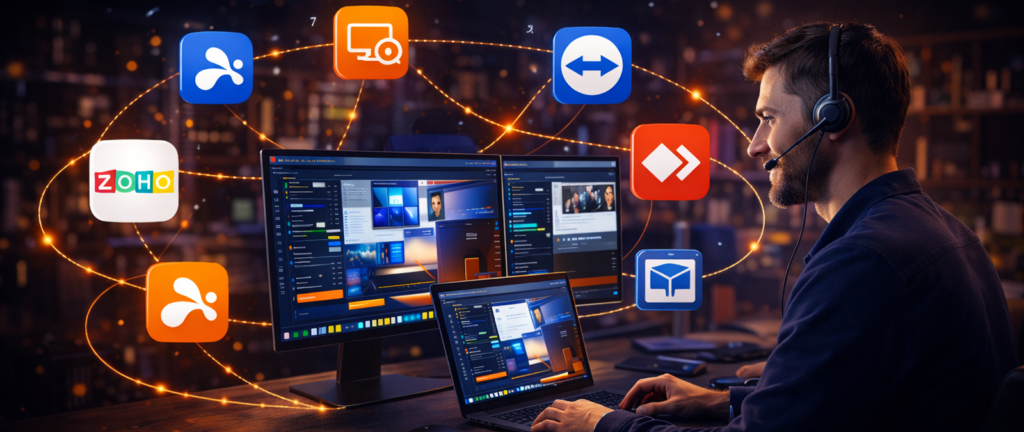

Providing IT support has changed dramatically over the past two decades. In the past, troubleshooting a computer problem often meant driving to a client’s office, sitting down at their workstation, and diagnosing the issue in person.
Today, remote desktop technology allows IT professionals to resolve most issues without ever leaving their desk. As an IT consultant with more than 25 years of experience supporting small businesses, I can confidently say that remote access tools have become one of the most important technologies in modern IT support. The right software allows technicians to troubleshoot systems quickly, assist users in real time, and maintain computers across multiple locations.
Why Remote Desktop Software Is Essential for IT Support
Remote desktop tools allow technicians to view and control a computer from another location over the internet. This makes it possible to diagnose problems, install updates, and guide users through technical issues without being physically present.
For IT professionals, this provides several major advantages. First, it dramatically reduces response time. Instead of scheduling an on-site visit, a technician can connect to a user’s computer within minutes and begin troubleshooting immediately.
Second, it allows support teams to manage systems across multiple offices or geographic locations. A single technician can support dozens or even hundreds of machines remotely.
Finally, remote support improves productivity for both the technician and the client. Problems are resolved faster, and employees can return to work sooner.
Key Features IT Professionals Should Look For
Not all remote desktop tools are designed with IT support in mind. When evaluating a platform, technicians should consider several important features.
Small businesses, in particular, benefit from remote access technology because it allows teams to remain flexible without investing heavily in complex IT infrastructure.
Unattended Remote Access
One of the most valuable capabilities for IT support is unattended access. This allows technicians to connect to a computer even when the user is not present. For example, an IT consultant may need to install updates on a client’s workstation overnight or troubleshoot a server issue outside normal business hours. With unattended access, these tasks can be performed without requiring someone to be sitting at the remote computer.
File Transfer
During troubleshooting sessions, technicians often need to transfer files to or from the remote machine. This may include installing software updates, downloading log files, or sending diagnostic tools. A good remote support platform should make file transfer simple and secure.
System Reboot and Reconnection
Some technical issues require restarting the remote computer. Remote desktop software designed for IT support typically allows technicians to reboot a system and automatically reconnect once the machine comes back online. This feature prevents technicians from losing access during critical maintenance tasks.
Security and Encryption
Because remote desktop tools provide access to business systems, strong security is essential. Professional platforms typically include encrypted connections, authentication controls, and administrative permissions that restrict who can initiate remote sessions. These safeguards help ensure that sensitive systems remain protected.
Top Remote Desktop Tools for IT Support
Several platforms have become popular among IT professionals because of their reliability and feature sets.
Splashtop

Splashtop has become one of the most widely used remote access tools among small businesses and IT consultants.
The platform provides fast remote connections, strong security features, and a range of tools designed for remote support. Technicians can access computers remotely, transfer files, reboot systems, and work across multiple monitors.
One reason many IT consultants choose Splashtop is its affordability compared with some enterprise remote desktop solutions. It delivers strong performance without requiring expensive licensing fees, which can be important for smaller support teams.
Over the past 25 years working in IT support for small businesses, I’ve seen remote desktop tools evolve from slow and unreliable connections into fast, secure platforms that make remote work seamless.
Today there are several strong remote access solutions available. In this guide, we’ll look at seven of the best tools small businesses can use to enable secure and reliable remote work.
Splashtop has become one of the most widely used remote access tools among small businesses and IT consultants.
Ready to let Splashtop set you free? You can easily do business while on the go or working from home
Click here!
View Current PricesTeamViewer
TeamViewer is one of the most recognized names in remote access technology. It offers a comprehensive set of features for remote support, including remote control, file sharing, device management, and collaboration tools. Many large organizations rely on TeamViewer to support users across global networks. However, TeamViewer’s licensing costs can be higher than some other options, which may be a consideration for smaller businesses.
AnyDesk
AnyDesk is another popular remote desktop solution known for its lightweight design and fast connections. The software uses an efficient video codec to deliver smooth remote sessions even on slower internet connections. This makes it useful for technicians who need to support users in environments with limited bandwidth. AnyDesk also offers flexible deployment options for both individuals and organizations.
ConnectWise Control
ConnectWise Control (formerly ScreenConnect) is designed specifically for managed service providers and IT support teams. The platform includes advanced session management, automation tools, and integration with other IT service platforms. Many MSPs use ConnectWise Control as part of a larger remote monitoring and management strategy. Because of its specialized features, this tool is particularly popular with professional support organizations.
Choosing the Right Remote Support Platform
The best remote desktop software for IT support depends on several factors, including the size of the organization, the number of systems being managed, and the complexity of the support environment.
Independent IT consultants and small businesses often prioritize simplicity and affordability. In these cases, platforms like Splashtop can provide the necessary functionality without excessive cost.
Larger organizations may prefer solutions with deeper management features and integration with other enterprise tools. Before committing to a platform, it is often helpful to test several options to see which interface and workflow best fits the support team’s needs.
Real-World Use of Remote Support Tools
In day-to-day IT support work, remote desktop tools make it possible to solve a wide range of technical issues quickly. Technicians may connect to a user’s computer to diagnose software problems, install updates, remove malware, or configure system settings. They can also guide users through unfamiliar tasks by demonstrating solutions directly on the user’s screen.
For businesses with multiple locations, remote support tools also allow centralized IT teams to maintain systems without sending technicians to each office. This ability to provide fast, efficient support has made remote desktop software an essential part of modern IT operations.
Final Thoughts

Remote desktop technology has transformed how IT professionals provide support. By allowing technicians to access and control systems from anywhere, these tools help resolve issues faster and reduce the need for on-site visits.
Platforms such as Splashtop, TeamViewer, AnyDesk, and ConnectWise Control each offer unique strengths depending on the needs of the support team.
For many IT consultants and small businesses, the right remote desktop solution can dramatically improve efficiency and allow them to serve more clients without increasing overhead.
Ready to let Splashtop set you free? You can easily do business while on the go or working from home
Click here!
View Current PricesSpecial Note
This article is part of a larger topic you may wish to explore in our Complete Guide to Remote Desktop Software for Small Business.