7 Best Remote Access Tools for Small Businesses
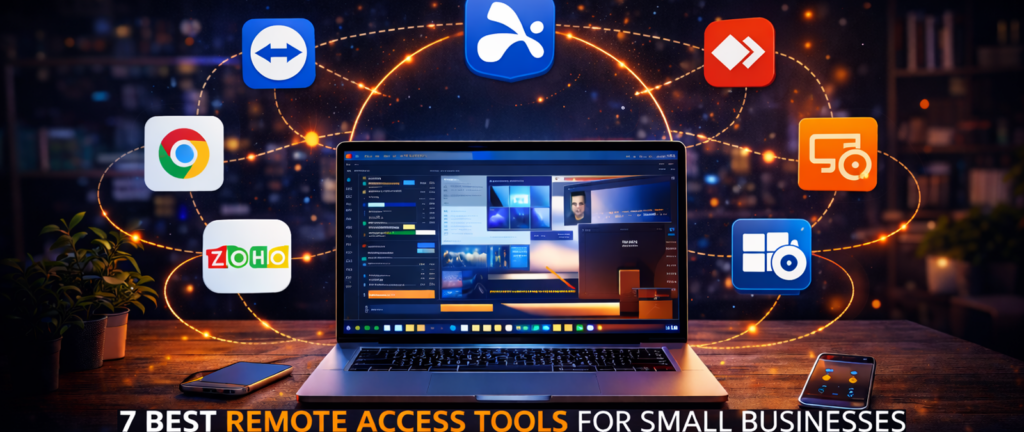

Remote access software has become an essential tool for modern businesses. Whether employees are working from home, traveling, or supporting customers remotely, the ability to securely access office computers can significantly improve productivity.
Small businesses, in particular, benefit from remote access technology because it allows teams to remain flexible without investing heavily in complex IT infrastructure.
Over the past 25 years working in IT support for small businesses, I’ve seen remote desktop tools evolve from slow and unreliable connections into fast, secure platforms that make remote work seamless.
Today there are several strong remote access solutions available. In this guide, we’ll look at seven of the best tools small businesses can use to enable secure and reliable remote work.
1. Splashtop

Splashtop has become one of the most popular remote access solutions for small businesses and IT professionals. One of the biggest reasons for its popularity is the balance between performance and affordability. Splashtop delivers fast remote desktop connections with features typically found in enterprise tools but at a price that is much more accessible for smaller organizations.
Users can remotely access office computers from laptops, tablets, or smartphones while maintaining a smooth and responsive experience. The platform includes features such as file transfer, multi-monitor support, remote printing, and secure encrypted connections. For many small businesses that need dependable remote access without complicated configuration, Splashtop offers a very practical solution.
Ready to transform your ability to do business while on the go or working from home?
Click here!
View Current Prices2. TeamViewer
TeamViewer is one of the most widely recognized names in remote access technology. The software has been around for many years and offers a comprehensive set of tools for remote support, device management, and collaboration. It is used by organizations ranging from small businesses to large global enterprises.
TeamViewer provides high-quality remote desktop sessions and includes features that allow technicians to support users in real time. However, its pricing can sometimes be higher than other remote access solutions, which may be a factor for smaller organizations with limited budgets. Despite the cost, many companies continue to rely on TeamViewer because of its reliability and extensive feature set.
3. AnyDesk
AnyDesk is another popular remote desktop platform known for its speed and lightweight design. The software uses a proprietary video codec that allows it to deliver responsive remote sessions even on slower internet connections. This makes it useful for users who need to connect to remote systems in environments where bandwidth may be limited. AnyDesk supports a wide range of operating systems and offers both personal and business licensing options. Many small businesses appreciate its simplicity and flexibility.
4. Zoho Assist
Zoho Assist is a cloud-based remote support tool designed primarily for IT technicians and customer support teams. The platform allows technicians to connect to computers remotely through a browser-based interface, making it easy to initiate support sessions without requiring complex installations. Zoho Assist integrates well with other Zoho business applications, which can make it especially appealing to companies already using the Zoho ecosystem.
5. Chrome Remote Desktop
Chrome Remote Desktop is a free remote access tool developed by Google. It allows users to connect to computers using the Chrome browser and a Google account. Setup is relatively simple and requires minimal technical knowledge. Because it is free, Chrome Remote Desktop can be a good option for individuals or very small businesses that only need occasional remote access. However, it lacks many of the advanced features and administrative controls found in professional remote desktop platforms.
6. ConnectWise Control
ConnectWise Control is a remote support platform designed specifically for IT service providers and managed service providers. The software offers powerful tools for managing remote sessions, organizing support workflows, and integrating with other IT service management platforms. While it may be more advanced than what some small businesses need, it is an excellent option for organizations that provide technical support services to clients.
7. Microsoft Remote Desktop
Microsoft Remote Desktop is built into many versions of Windows and allows users to connect to another Windows computer over a network. For businesses already operating primarily within a Windows environment, this tool can provide a simple way to access systems remotely without installing additional third-party software. However, configuring remote desktop access often requires additional network setup, and it may not be as straightforward to use across different operating systems.
Choosing the Right Remote Access Tool
When evaluating remote access software, small businesses should consider several factors. First, think about how often employees need remote access and what systems they need to connect to. Businesses that rely heavily on remote work may benefit from a platform designed specifically for professional use.
Second, consider the level of security and administrative control required. Organizations that handle sensitive data should ensure that their chosen platform supports encryption and authentication protections. Finally, pricing and ease of use should also be part of the decision. Many small businesses prefer solutions that provide strong functionality without requiring complicated configuration or high licensing costs.
Small businesses, in particular, benefit from remote access technology because it allows teams to remain flexible without investing heavily in complex IT infrastructure.
Final Thoughts

Remote access tools have become essential for businesses that want to maintain productivity in a flexible work environment.
Solutions like Splashtop, TeamViewer, and AnyDesk allow employees to securely access office computers from almost anywhere. Other platforms such as Zoho Assist and ConnectWise Control provide additional capabilities for IT support teams.
By choosing the right remote access platform, small businesses can support remote work, improve technical support capabilities, and keep operations running smoothly regardless of location.
Ready to transform your ability to do business while on the go or working from home?
Click here!
View Current PricesSpecial Note
This article is part of a larger topic you may wish to explore in our Complete Guide to Remote Desktop Software for Small Business.